
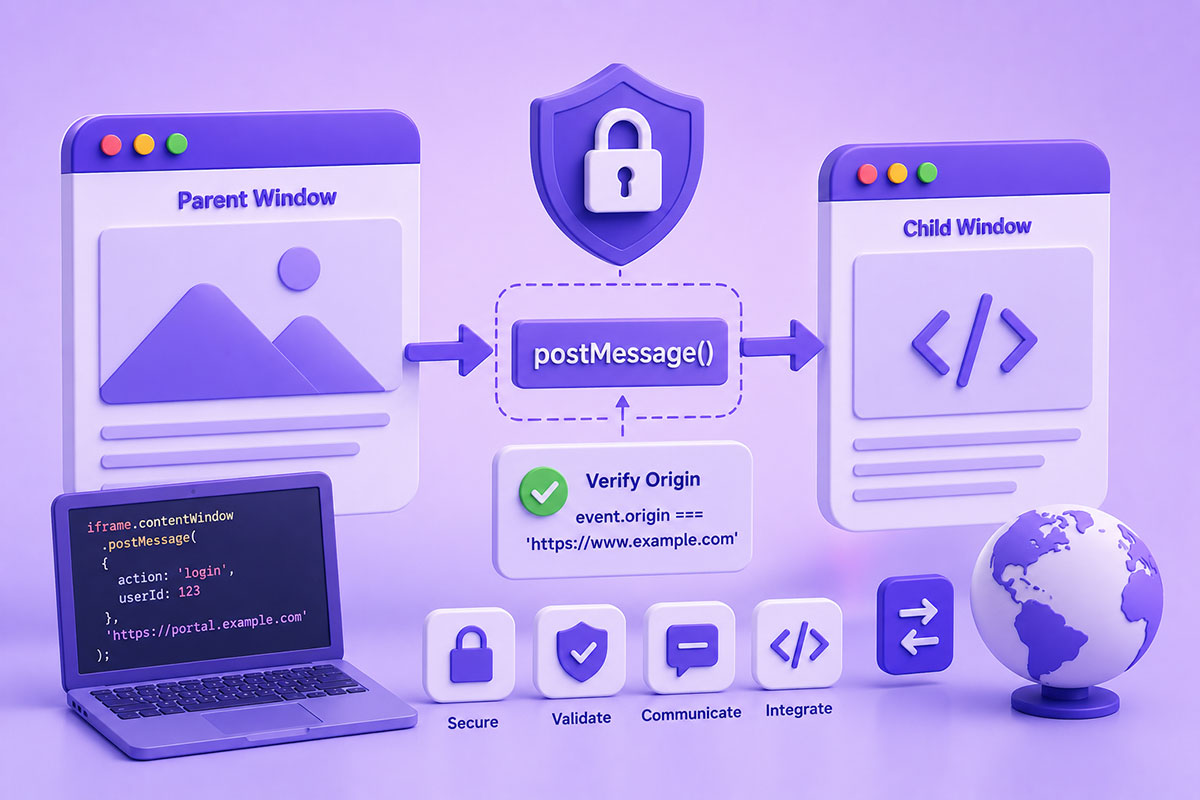
Why Cross-Domain Communication Is Necessary
Modern web applications rarely exist on a single domain.
A typical business application may involve:
- Main website
- Customer portal
- Payment gateway
- Authentication provider
- Analytics dashboard
- Embedded third-party widgets
- Marketing tools
These systems often run on different domains or subdomains.
Because browsers enforce the Same-Origin Policy, JavaScript running on one origin cannot directly access the DOM or JavaScript objects of another origin. This security model protects users from malicious websites attempting to access sensitive information.
Fortunately, browsers provide a secure mechanism specifically designed for this scenario:
window.postMessage()
What Is postMessage()?
window.postMessage() allows two browser windows to exchange messages safely, even when they belong to different origins.
Common communication scenarios include:
- Parent page ↔ iframe
- Parent page ↔ popup window
- Popup ↔ opener window
- Cross-subdomain applications
- Embedded SaaS widgets
Unlike directly accessing another window’s JavaScript, postMessage() sends structured data through a controlled messaging channel. The receiving window decides whether to trust the sender by checking its origin.
Real-World Use Cases
I frequently use postMessage() when integrating third-party platforms and building custom business applications.
Typical examples include:
Payment Windows
Communicating payment status back to the parent application after checkout.
Authentication
Receiving login success messages from OAuth or SSO providers.
Embedded Dashboards
Passing filters, user information, or events between an embedded dashboard and the hosting application.
Multi-Domain Business Platforms
Synchronizing state between applications running on separate domains.
Third-Party Widgets
Embedding calculators, booking systems, maps, or support widgets while exchanging information securely.
Basic Example
Parent Window
const iframe = document.getElementById('myFrame');

iframe.contentWindow.postMessage(
{
    action: 'login',
    userId: 123
},
'https://portal.example.com');
Child Window
window.addEventListener('message', function(event){

    if(event.origin !== 'https://www.example.com'){
        return;
    }

    console.log(event.data);

});
This simple pattern allows controlled communication between two trusted applications.
Understanding targetOrigin
One of the most important parameters is:
targetOrigin
Instead of using:
'*'
always specify the exact destination:
'https://portal.example.com'
This ensures the browser delivers the message only to the intended origin and reduces the risk of exposing sensitive information. Security guidance consistently recommends avoiding * unless the data is intentionally public.
Verifying the Sender
Every received message contains:
- event.data
- event.origin
- event.source
Always verify:
if(event.origin !== 'https://www.example.com'){
    return;
}
Never trust incoming messages without validating the sender.
Origin validation is the foundation of secure cross-origin messaging.
Passing Structured Data
Modern browsers allow objects to be transferred directly.
Example:
{
    action: 'save',
    customerId: 245,
    orderId: 7821,
    status: 'complete'
}
There’s no need to serialize everything into query strings or manually parse JSON for basic message passing because the browser uses the structured clone algorithm.
Common Mistakes
Using
*
as targetOrigin
Convenient during development but risky in production.
Not Validating
event.origin
Accepting every incoming message creates unnecessary security exposure.
Trusting User Input
Treat incoming messages like API requests.
Validate:
- data types
- required fields
- permissions
- expected actions
Sending Sensitive Information
Avoid sending:
- access tokens
- passwords
- session identifiers
- confidential customer data
Even trusted windows should exchange only the information necessary to complete the task.
Best Practices
When implementing postMessage():
- Always specify an explicit targetOrigin
- Verify event.origin
- Validate incoming data
- Send only the minimum required information
- Keep message formats well-defined
- Remove event listeners when no longer needed
- Document the messaging contract between applications
When Should You Use postMessage()?
Use it whenever two browser contexts need to communicate but cannot access each other directly because of the Same-Origin Policy.
Good examples include:
- WordPress plugins embedding external dashboards
- Vue.js applications inside WordPress
- Payment gateway popups
- Authentication providers
- Third-party booking systems
- Embedded reporting tools
- SaaS integrations
Final Thoughts
Cross-origin communication is now a normal part of modern web development.
Whether you’re integrating external services, embedding applications, or building complex business platforms, window.postMessage() provides a secure, browser-supported mechanism for exchanging information across different origins.
The key isn’t simply knowing how to send a message—it’s implementing the communication securely through origin validation, controlled data exchange, and well-defined message handling.
Following these practices helps ensure your applications remain both functional and secure as your architecture grows.