
Why URL Consistency Matters
One of the most overlooked technical SEO issues is allowing multiple versions of the same page to exist.
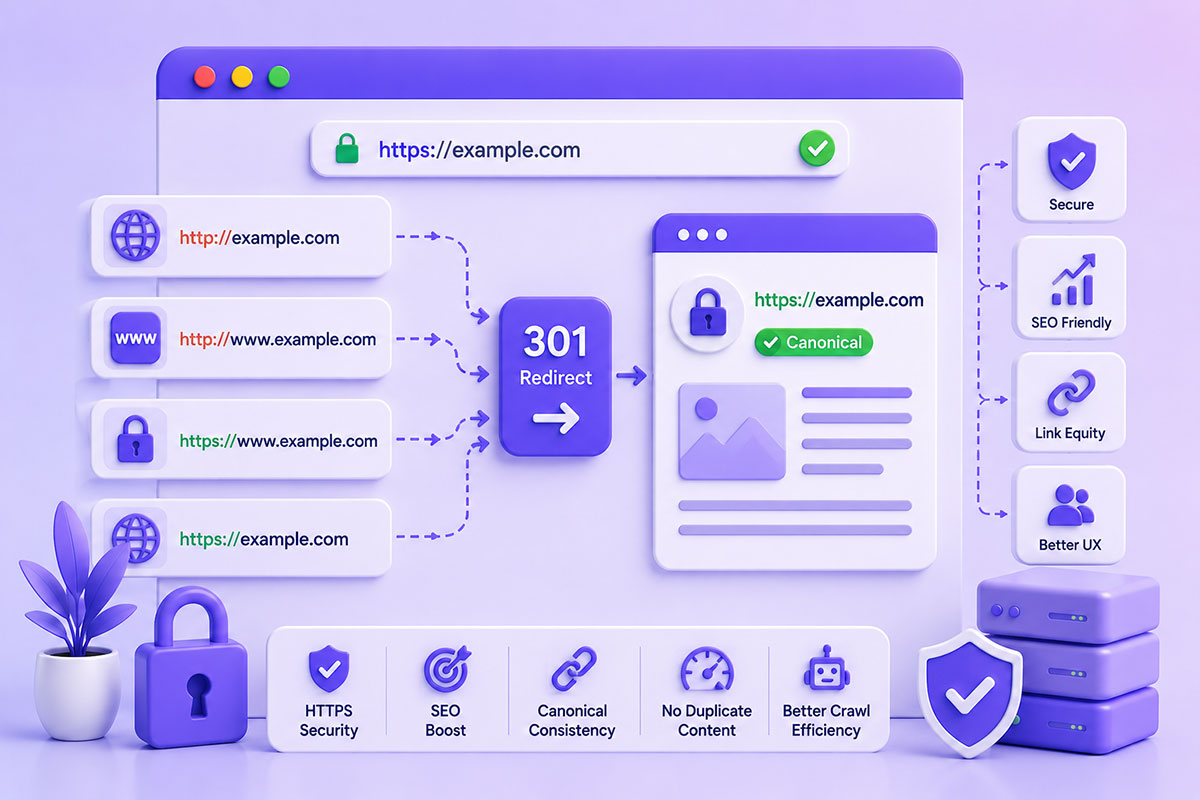
For example, these URLs may all serve identical content:
http://example.com

http://www.example.com

https://example.com

https://www.example.com
To users they appear identical.
To search engines they are four different URLs unless you explicitly tell them otherwise.
This can lead to:
- Duplicate content
- Split ranking signals
- Crawl inefficiencies
- Link equity fragmentation
The solution is choosing one canonical version and redirecting every other version using permanent 301 redirects. Google recommends permanent redirects when content has moved and treats them as a strong signal for consolidating ranking signals.
Why HTTPS Is No Longer Optional
HTTPS was once considered a nice-to-have.
Today it is expected.
HTTPS provides:
- Encrypted communication
- Data integrity
- User trust
- Browser security
- Improved privacy
Modern browsers actively warn users when websites are served over HTTP, and Google has long encouraged HTTPS adoption.
Choose One Canonical URL
Every website should have one preferred version.
For example:
https://www.example.com
or
https://example.com
Either is perfectly acceptable.
The important part is consistency.
Once chosen:
- Internal links
- Canonical tags
- XML sitemap
- Structured data
- Open Graph URLs
- Navigation
- Redirects
should all reference the same preferred URL. Google recommends using consistent canonicalization signals rather than conflicting ones.
Redirect Everything Else
Every variation should permanently redirect to the preferred version.
Example:
http://example.com
          ↓
https://example.com

http://www.example.com
          ↓
https://example.com

https://www.example.com
          ↓
https://example.com
Notice that every request reaches the same destination in one step.
Avoid unnecessary redirect chains wherever possible.
Example .htaccess Rule
If your preferred domain is:
https://example.com
a typical Apache configuration looks like:
RewriteEngine On
RewriteEngine On

RewriteCond %{HTTPS} !=on [OR]
RewriteCond %{HTTP_HOST} ^www\.(.+)$ [NC]

RewriteRule ^ https://%1%{REQUEST_URI} [L,R=301]
This ensures:
- HTTP → HTTPS
- WWW → Non-WWW
using a single permanent redirect.
Don’t Forget Canonical Tags
Redirects alone aren’t enough.
Every page should include a canonical URL pointing to its preferred address.
Example:
<link rel="canonical" href="https://example.com/about/">
Canonical tags help search engines understand which version should be indexed and consolidate signals when duplicate URLs exist.
Update Your Sitemap
After enabling HTTPS:
Generate a new XML sitemap containing only:
https://
URLs.
Then submit the updated sitemap through Google Search Console.
Mixing HTTP and HTTPS URLs inside a sitemap creates unnecessary ambiguity.
Internal Links Matter Too
A common mistake is enabling redirects while leaving every internal link pointing to HTTP.
Technically the website works.
But every click creates an unnecessary redirect.
Instead update:
- Navigation
- Footer
- Images
- CSS
- JavaScript
- Canonical URLs
- Structured data
- XML Sitemap
to reference HTTPS directly.
Enable HSTS (After You’re Confident)
Once you’re certain every page and asset loads correctly over HTTPS, consider enabling HTTP Strict Transport Security (HSTS).
HSTS instructs supporting browsers to always use HTTPS for your domain, reducing the risk of protocol downgrade attacks. It should only be enabled after your HTTPS configuration is fully working because browsers will remember the policy.
Common Mistakes
Using 302 Redirects
Permanent migrations should use:
301
Temporary redirects (302) are intended for short-term moves or testing, not permanent protocol changes. Google distinguishes between the two when interpreting site changes.
Redirect Chains
Avoid:
HTTP
↓
HTTPS
↓
WWW
↓
Final URL
Instead:
HTTP
↓
Final URL
One redirect is faster and easier for crawlers to process.
Mixed Content
Even after enabling HTTPS, pages may still reference:
http://
for:
- Images
- CSS
- JavaScript
- Fonts
Browsers will flag or block these resources.
Forgetting Canonical Tags
If canonical tags still point to HTTP, search engines receive conflicting signals.
Keep redirects, canonicals, sitemaps, and internal links aligned.
Real-World Perspective
When migrating WordPress websites, I treat HTTPS migration as more than a certificate installation.
A successful implementation includes:
- Permanent redirects
- Canonical updates
- XML sitemap regeneration
- Internal link updates
- Mixed-content cleanup
- Analytics verification
- Search Console checks
This ensures users, browsers, and search engines all recognize the HTTPS version as the single source of truth.
Best Practices Checklist
Before launch:
- Install and verify the SSL certificate.
- Choose a preferred domain (www or non-www).
- Configure a single-step 301 redirect.
- Update WordPress URLs.
- Update internal links.
- Regenerate the XML sitemap.
- Verify canonical tags.
After launch:
- Test redirects with browser developer tools or command-line utilities.
- Check for mixed-content warnings.
- Submit the updated sitemap to Search Console.
- Monitor crawl errors and indexing.
- Consider enabling HSTS once the HTTPS deployment is stable.
Final Thoughts
Moving from HTTP to HTTPS isn’t simply a security upgrade—it’s an opportunity to strengthen your website’s technical foundation.
By combining permanent redirects, consistent canonical URLs, updated internal links, and a properly configured sitemap, you create a cleaner experience for both users and search engines.
The objective isn’t just getting visitors to the HTTPS version; it’s ensuring every signal points to the same canonical URL, improving crawl efficiency, preserving SEO value, and delivering a secure browsing experience.