
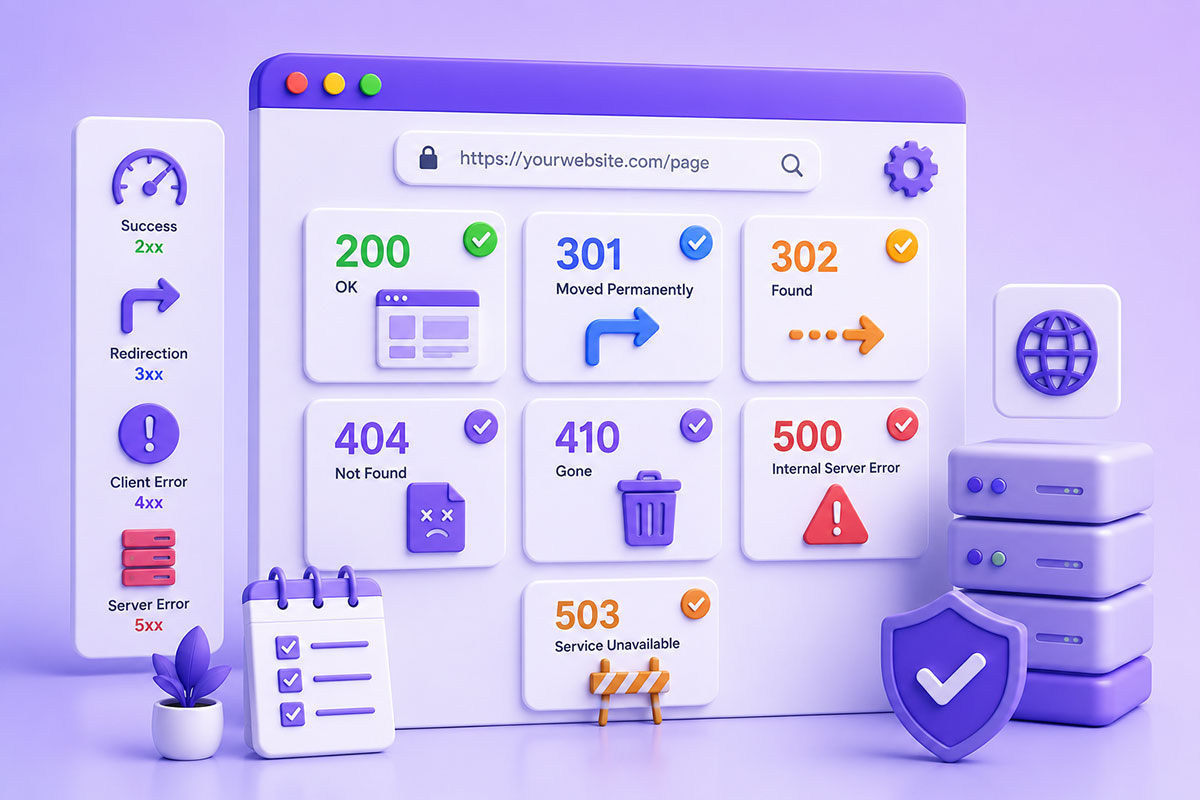
Why HTTP Status Codes Matter
Every time a browser, search engine, or API requests a page, the server responds with an HTTP status code.
Although visitors rarely see these codes directly, they determine how browsers, search engines, and applications should handle the response.
A status code tells the client whether:
- The request succeeded
- The page moved
- The page doesn’t exist
- The request was invalid
- The server encountered an error
Choosing the correct status code improves user experience, simplifies debugging, and helps search engines understand your website. Google’s crawlers rely on these responses when deciding how to crawl, index, and interpret your pages.
Understanding Status Code Categories
HTTP responses are grouped into five categories.
1xx – Informational
The request has been received and processing continues.
Rarely encountered during everyday website development.
2xx – Success
The request completed successfully.
Example:
200 OK
This is the response you want for normal pages.
3xx – Redirection
The requested resource has moved.
Examples:
301
302
307
308
These tell browsers and search engines to request another URL.
4xx – Client Errors
The request could not be completed because of something on the client side.
Examples:
400
401
403
404
410
5xx – Server Errors
The request reached the server, but the server couldn’t complete it.
Examples:
500
502
503
504
These generally indicate problems requiring server-side investigation.
200 OK
Use when:
- The page exists.
- Content is available.
- Everything loaded successfully.
Examples:
- Homepage
- Blog article
- Product page
- Contact page
A healthy website should return 200 OK for all accessible pages.
301 Moved Permanently
Use when a page has permanently moved.
Examples:
Old URL
↓
New URL
Typical scenarios:
- Domain migration
- HTTPS migration
- URL restructuring
- Page renamed
- Product moved
A 301 redirect signals that the move is permanent and helps search engines consolidate ranking signals to the destination page. Google recommends permanent redirects such as 301 or 308 for permanent site moves.
302 Found (Temporary Redirect)
Use when the move is temporary.
Examples:
- Maintenance pages
- Seasonal campaigns
- Temporary landing pages
- Short-lived promotions
- A/B testing
Search engines generally continue treating the original URL as canonical because the redirect is expected to be temporary. Google specifically recommends temporary redirects for experiments such as A/B testing.
404 Not Found
A 404 indicates that the requested page cannot be found.
Examples:
Deleted page

Broken URL

Typing mistake

Removed product
Contrary to popular belief:
404 pages are not bad.
Every website will have some.
The problem begins when:
- Thousands of internal links point to 404 pages.
- Important pages accidentally return 404.
- Valuable backlinks point to missing pages.
Google treats a proper 404 as a normal response indicating the page doesn’t exist.
410 Gone
Many developers forget this status code.
Unlike:
404
which means:
“The page isn’t here.”
A:
410
means:
“The page has been intentionally removed and isn’t coming back.”
Typical examples:
- Expired campaign pages
- Permanently discontinued products
- Removed legal content
Use 410 when you want to communicate permanent removal rather than uncertainty.
500 Internal Server Error
This indicates the server failed while processing a request.
Common causes:
- PHP fatal errors
- Database failures
- Misconfigured .htaccess
- Plugin conflicts
- Server configuration problems
Unlike 404 errors, 500 errors require immediate attention because users and search engines cannot access the content.
503 Service Unavailable
Use 503 when the website is temporarily unavailable.
Examples:
- Planned maintenance
- Server upgrades
- Temporary outages
This tells search engines the issue is temporary and encourages them to try again later, making it more appropriate than returning a generic 500 during planned maintenance.
Choosing the Right Status Code
| Situation | Status Code |
|---|---|
| Page loads normally | 200 |
| Page permanently moved | 301 |
| Temporary redirect | 302 |
| Page not found | 404 |
| Page intentionally removed | 410 |
| Temporary maintenance | 503 |
| Unexpected server failure | 500 |
Common SEO Mistakes
Redirecting Every 404 to the Homepage
Bad:
Missing page
↓
Homepage
Instead, either:
- redirect to the closest equivalent page
- or return a proper 404
Redirecting unrelated URLs to the homepage can confuse users and search engines.
Using 302 Instead of 301
Many websites accidentally leave temporary redirects in place permanently.
If the move is permanent:
Use:
301
Soft 404s
Returning:
200 OK
while displaying:
Page Not Found
confuses search engines because the response says the page exists even though the content says it doesn’t. Google identifies these as soft 404s and recommends returning the correct HTTP status instead.
Redirect Chains
Avoid:
Old
↓
301
↓
301
↓
301
↓
Final Page
Instead:
Old
↓
Final Page
One redirect is faster, easier to maintain, and better for crawling.
APIs Use Status Codes Too
Status codes aren’t just for websites.
REST APIs rely on them extensively.
Examples:
200 OK

201 Created

204 No Content

400 Bad Request

401 Unauthorized

403 Forbidden

404 Not Found

500 Internal Server Error
Returning the appropriate status code makes APIs easier to consume and debug.
Real-World Perspective
Across WordPress platforms, REST APIs, business dashboards, and enterprise integrations, correct HTTP status codes are one of those small implementation details that have a disproportionate impact.
I’ve encountered projects where:
- 302 redirects remained in place for years after a site migration.
- Custom 404 pages returned 200 OK, preventing search engines from recognizing missing content.
- APIs returned 200 even when requests failed, making client-side error handling unnecessarily difficult.
- Redirect chains accumulated after repeated website redesigns, adding latency and crawl complexity.
Fixing these issues often improves maintainability just as much as it improves SEO.
Best Practices
When developing websites and APIs:
- Return 200 only when content genuinely exists.
- Use 301 for permanent moves.
- Use 302 or 307 for temporary redirects.
- Return 404 for missing resources.
- Return 410 for content intentionally removed.
- Use 503 during scheduled maintenance.
- Avoid soft 404s.
- Eliminate redirect chains.
- Regularly monitor crawl errors in Google Search Console.
Final Thoughts
HTTP status codes are one of the fundamental building blocks of the web.
Although they’re invisible to most users, they influence how browsers behave, how APIs communicate, and how search engines crawl and index your content.
Understanding when to return 200, 301, 302, 404, 410, or 503 isn’t just good technical practice—it’s an essential part of building reliable, search-friendly, and maintainable web applications.