
Why Automate Word Document Generation?
Many businesses still rely on Microsoft Word documents for everyday operations.
Examples include:
- Contracts
- Quotations
- Invoices
- Proposals
- Certificates
- Employment letters
- Purchase orders
- Reports
- Customer agreements
Traditionally, someone opens a template, edits each field manually, saves the document, and emails it to the customer.
This process is repetitive, time-consuming, and prone to human error.
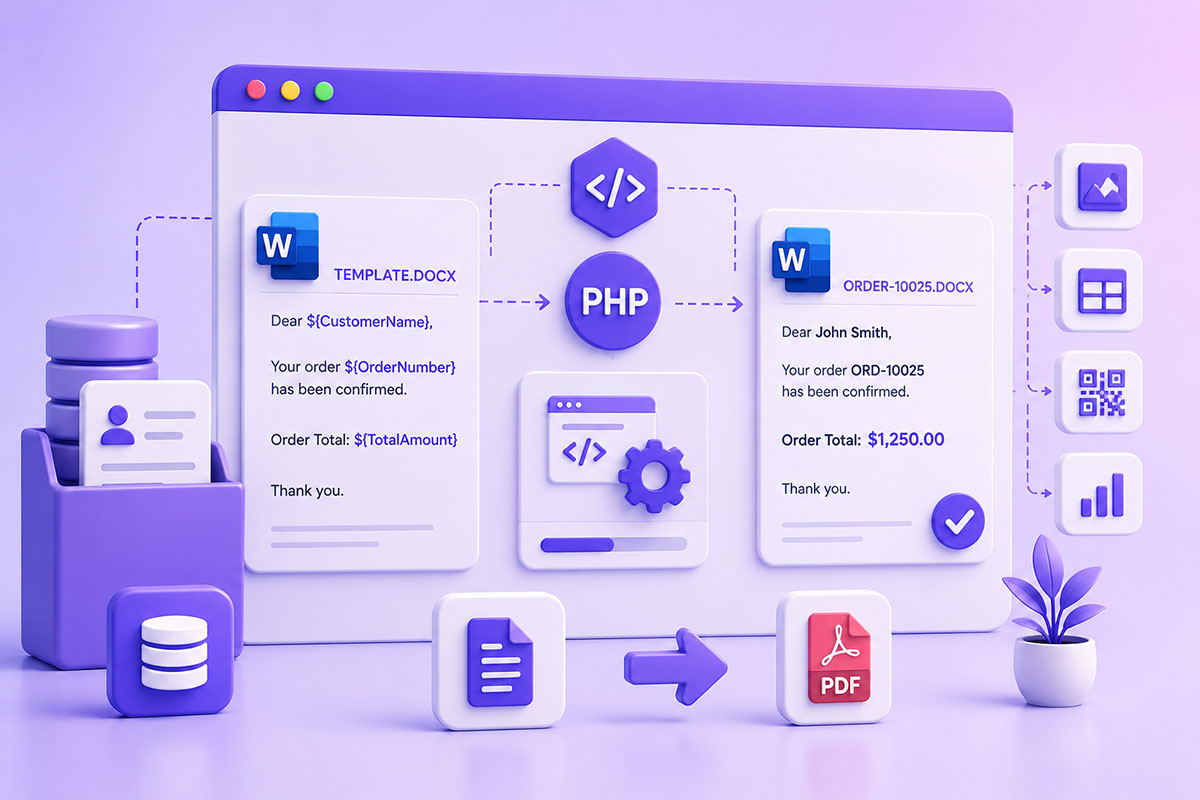
Document automation solves this problem by generating Word documents directly from application data.
Template-Based Document Generation
Instead of creating a DOCX file from scratch, a much better approach is to design a template in Microsoft Word.
Example:
Dear ${CustomerName},

Your order ${OrderNumber} has been confirmed.

Order Total:
${TotalAmount}

Thank you.
The application simply replaces the placeholders with live data and produces a finished document.
Libraries such as PHPWord’s TemplateProcessor support this approach using placeholder variables like ${CustomerName}.
Why Templates Are Better Than Building DOCX Files Manually
Creating Word documents directly through code quickly becomes difficult.
Templates offer several advantages:
- Business users can edit layouts without touching PHP.
- Formatting is preserved.
- Logos and branding remain consistent.
- Tables and headers stay intact.
- Developers focus on data rather than presentation.
This separation between presentation and data makes document generation far easier to maintain.
Creating the Word Template
Design the document exactly as you would normally.
Insert placeholders wherever dynamic values should appear.
Example:
Customer:
${CustomerName}

Company:
${Company}

Email:
${Email}

Quote Number:
${QuoteNumber}
PHPWord’s TemplateProcessor recognizes placeholders in the ${variable} format by default, although custom delimiters can also be configured if required.
Replacing Merge Fields
A simple implementation looks like:
$template = new TemplateProcessor('template.docx');

$template->setValue('CustomerName', 'John Smith');
$template->setValue('Company', 'ABC Inc');
$template->setValue('QuoteNumber', 'Q-10025');

$template->saveAs('quote.docx');
This approach keeps the PHP code clean while allowing designers or administrators to modify the document layout independently.
Replacing Multiple Fields
Instead of calling setValue() repeatedly, you can replace several placeholders in one operation.
This is especially useful when generating contracts or reports with many fields.
Example data might include:
Customer Name

Address

Phone

Email

Order Number

Order Date

Total

Sales Representative
Most document-generation workflows map these values directly from a database or API response.
More Than Just Text
Modern template libraries can do much more than replace text.
Depending on the library you choose, it’s possible to insert:
- Images
- Company logos
- QR codes
- Tables
- Repeating rows
- Charts
- Page breaks
For example, PHPWord supports replacing image placeholders with setImageValue().
Dynamic Tables
One of the biggest advantages of template-based generation is creating variable-length content.
Imagine an invoice:
Product

Quantity

Price

Total
Instead of hardcoding ten rows, the application can expand the table based on however many items exist.
Many template engines provide row-cloning or block-cloning features for this purpose.
Typical Business Use Cases
Throughout my projects, document automation has been valuable for:
Customer Contracts
Generating personalized agreements directly from CRM data.
Sales Quotations
Building branded quotations from product catalogs.
HR Documents
Creating offer letters and employment contracts.
Reports
Generating business reports from dashboards and analytics.
Certificates
Automatically producing personalized certificates or completion documents.
Proposal Generation
Creating client-ready proposals populated with project details and pricing.
DOCX vs PDF
Many workflows generate:
DOCX
↓
PDF
This gives users:
- an editable Word version
- a finalized PDF version for sharing or signing
It’s a common pattern in document management systems.
Common Mistakes
Editing the Template in Code
Keep formatting in Microsoft Word.
Keep business logic in PHP.
Hardcoding Document Layouts
If every formatting change requires a developer, maintenance becomes difficult.
Templates solve this problem.
Ignoring Empty Fields
Handle missing values gracefully.
For example:
Company

Phone

Notes
may not always contain data.
Some document-generation tools provide helper methods to remove unused placeholders cleanly instead of leaving blank template markers.
Mixing Presentation with Business Logic
A clean architecture separates:
Template
↓
Data
↓
Generation
↓
Download
This makes the system easier to extend and maintain.
Real-World Perspective
I’ve implemented document generation in business applications where users needed professionally formatted documents without manual editing.
Examples include:
- Customer agreements
- Business proposals
- Reports
- Operational documents
- Internal workflows
The templates were maintained by non-developers in Microsoft Word, while the application simply injected live data and generated the final document.
This separation allowed layouts to evolve without requiring code changes, making the solution both flexible and maintainable.
Best Practices
When building document automation:
- Design templates in Microsoft Word.
- Use meaningful placeholder names.
- Separate template design from application logic.
- Validate data before generation.
- Keep templates under version control.
- Generate both DOCX and PDF where business workflows require it.
- Allow non-technical users to update templates whenever possible.
Final Thoughts
Automating Microsoft Word document generation is one of the simplest ways to eliminate repetitive administrative work while improving consistency and accuracy.
By combining Word templates with PHP, developers can create scalable document workflows that empower business users to manage layouts while applications handle the data.
Whether you’re building a CRM, ERP, HR platform, quoting system, or customer portal, template-driven document generation is a practical technique that saves time and reduces manual effort.