
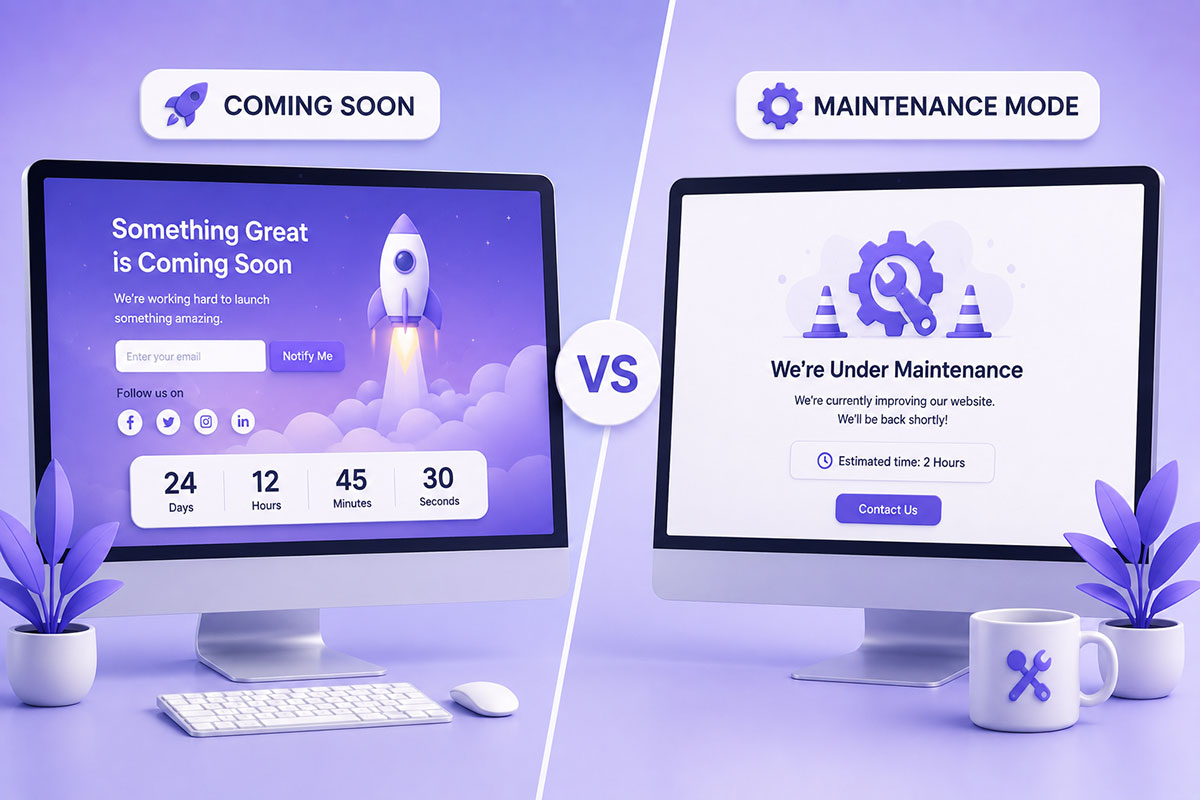
They Look Similar—But They Serve Very Different Purposes
One of the most common mistakes I see is treating Coming Soon and Maintenance Mode as the same thing.
They both display a temporary page to visitors, but they exist for completely different reasons.
Using the wrong one can:
- Confuse visitors
- Affect search engine indexing
- Impact SEO
- Delay a new website launch
Understanding when to use each mode helps protect both your users and your search visibility.
What Is a Coming Soon Page?
A Coming Soon page is used before a website officially launches.
Think of it as a pre-launch landing page.
Instead of showing an unfinished website, visitors see a professionally designed page announcing what’s coming.
Typical elements include:
- Company logo
- Launch message
- Countdown timer
- Email subscription form
- Social media links
- Contact information
The goal is to generate anticipation while beginning to establish an online presence. Depending on how it’s configured, a coming soon page may still be accessible to search engines so a new site can begin building visibility.
When Should You Use a Coming Soon Page?
A Coming Soon page is appropriate when:
- Launching a brand-new website
- Rebranding before a public launch
- Announcing a new product
- Preparing an event microsite
- Building an email list before launch
For example:
January
↓
Purchase domain
↓
Build website
↓
Visitors see Coming Soon page
↓
Collect newsletter subscribers
↓
Launch in February
What Is Maintenance Mode?
Maintenance Mode is designed for existing live websites.
Instead of exposing visitors to broken layouts, plugin conflicts, or incomplete updates, you temporarily display a maintenance message while work is being performed.
Typical reasons include:
- WordPress core updates
- Theme changes
- Plugin upgrades
- Server migrations
- Security patches
- Database maintenance
- Emergency bug fixes
Unlike a Coming Soon page, Maintenance Mode should communicate that the interruption is temporary and that the website will return shortly.
When Should You Use Maintenance Mode?
Maintenance Mode is appropriate when:
- Your website is already live
- Visitors normally expect access
- You’re performing updates
- Downtime will be temporary
Example:
Live Website
↓
WooCommerce upgrade
↓
Maintenance Mode enabled
↓
Testing complete
↓
Website restored
The Biggest Difference
| Coming Soon | Maintenance Mode |
|---|---|
| Website hasn’t launched yet | Website is already live |
| Builds anticipation | Prevents users seeing broken pages |
| Can include marketing content | Should communicate temporary downtime |
| Often includes email signup | Usually includes an estimated return time |
| Used during development | Used during updates and repairs |
SEO Considerations
This is where many website owners make mistakes.
Coming Soon
If you’re launching a brand-new website, you may want search engines to discover your domain and begin indexing your launch page.
A Coming Soon page can help establish your online presence before launch—provided it’s configured appropriately.
Maintenance Mode
Maintenance Mode should generally tell search engines:
“The website is temporarily unavailable.”
The correct HTTP response for planned maintenance is typically:
503 Service Unavailable
This indicates the downtime is temporary and encourages search engines to crawl the site again later rather than treating pages as permanently removed.
What Should a Good Coming Soon Page Include?
A modern Coming Soon page should contain:
- Clear headline
- Brief description of your business
- Expected launch date (if known)
- Email subscription form
- Social media links
- Brand identity
- Contact information
Rather than showing “Under Construction,” use the opportunity to introduce your business and begin building an audience.
What Should a Good Maintenance Page Include?
Maintenance pages should reassure visitors.
Include:
- Short explanation
- Estimated completion time (if available)
- Contact information for urgent enquiries
- Company branding
- Links to social media or status updates
Keep the message concise and professional.
Common Mistakes
Using Maintenance Mode During Development
If the website hasn’t launched yet, use a Coming Soon page instead.
Using Coming Soon on a Live Website
Replacing an established website with a generic Coming Soon page can confuse visitors and search engines.
Forgetting the Correct HTTP Status
A maintenance page should return the appropriate temporary status code rather than appearing as a normal page to search engines.
Leaving Maintenance Mode Enabled
It’s surprisingly common for websites to remain in maintenance mode after updates are complete.
Always verify the site is publicly accessible before considering the work finished.
Real-World Perspective
Across the WordPress websites, WooCommerce stores, and business platforms I’ve worked on, the choice is straightforward:
For new projects, I use a Coming Soon page to establish branding, collect leads, and create anticipation before launch.
For existing production websites, I use Maintenance Mode only during short, controlled maintenance windows. Major redesigns and feature development are performed in staging environments so the live website remains available for users.
That approach minimizes downtime while protecting both the user experience and search visibility.
Best Practices
When preparing a new website:
- Use a branded Coming Soon page.
- Collect email subscribers.
- Include links to social media.
- Make sure the page aligns with your launch strategy.
When updating an existing website:
- Perform changes in a staging environment whenever possible.
- Use Maintenance Mode only if downtime is unavoidable.
- Return the appropriate temporary HTTP status.
Keep maintenance windows as short as possible.
Final Thoughts
Although Coming Soon pages and Maintenance Mode screens may look similar, they solve two entirely different problems.
A Coming Soon page is a marketing tool designed for websites that haven’t launched yet.
A Maintenance Mode page is a temporary notice for websites that are already live and undergoing updates.
Choosing the correct approach helps protect your brand, improves the visitor experience, and ensures search engines understand exactly what’s happening with your website.